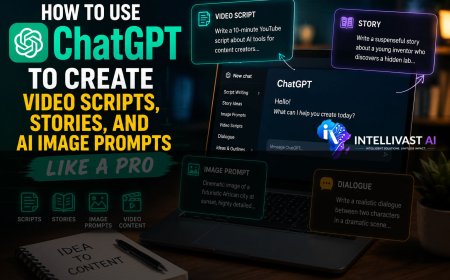












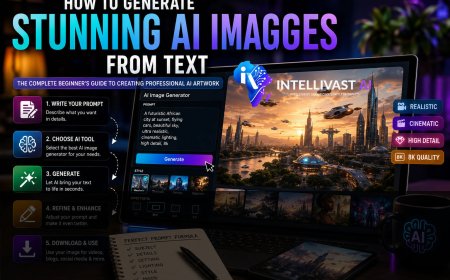




How to Use ChatGPT to Create Video Scripts, Stories, and AI Image Prompts Like a Pro (Complete Beginner's Guide)
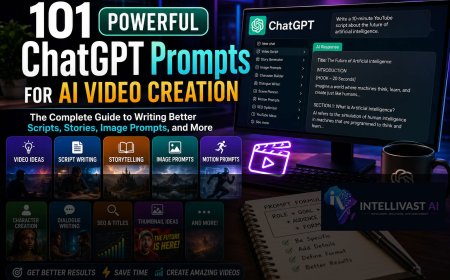
ChatGPT has become an indispensable tool for modern content creators. From brainstorming ideas to writing scripts, crafting compelling stories, generating image prompts, and refining dialogue, it can dramatically reduce the time and effort required to produce high-quality content.


Artificial Intelligence has completely transformed content creation. What once took hours—or even days—can now be accomplished in minutes with the right AI tools. Among these tools, ChatGPT stands out as one of the most versatile assistants for writers, video creators, bloggers, educators, marketers, and entrepreneurs.
Whether you want to create engaging YouTube videos, write compelling stories, generate AI image prompts, or produce professional blog posts, ChatGPT can significantly speed up your workflow while improving the quality of your content.
In this comprehensive guide, you'll learn how to use ChatGPT effectively to create video scripts, stories, and detailed AI image prompts from scratch—even if you've never used AI before.
Table of Contents
1. What is ChatGPT?
2. Why Content Creators Love ChatGPT
3. Creating a Free ChatGPT Account
4. Understanding Prompts
5. How to Write Better Prompts
6. Creating YouTube Video Scripts
7. Writing AI Stories
8. Generating Scene-by-Scene Image Prompts
9. Creating Motion Prompts for AI Video Generators
10. Writing Natural Character Dialogue
11. Editing and Improving AI Responses
12. Advanced Prompting Techniques
13. Common Mistakes Beginners Make
14. Frequently Asked Questions
15. Final Thoughts
What is ChatGPT?
ChatGPT is an AI-powered conversational assistant developed by OpenAI. It understands natural language and can generate human-like responses to almost any writing task.
Instead of spending hours brainstorming ideas, researching topics, or writing drafts, you simply tell ChatGPT what you need.
It can help you create:
- YouTube scripts
- Blog articles
- Stories
- Movie scripts
- Business proposals
- Product descriptions
- Emails
- Marketing copy
- Social media captions
- Educational materials
- AI image prompts
- Video narration
- Coding assistance
- Research summaries
Think of ChatGPT as a highly capable writing assistant that works around the clock.
Why Content Creators Love ChatGPT
One of ChatGPT's greatest strengths is its flexibility. Whether you're creating content for YouTube, TikTok, Instagram, Facebook, LinkedIn, or your own website, it adapts to your needs.
Some of its key benefits include:
- Speeds up content creation.
- Helps overcome writer's block.
- Generates unlimited ideas.
- Produces structured outlines.
- Creates SEO-friendly articles.
- Writes in different tones and styles.
- Generates scripts for short and long-form videos.
- Produces detailed prompts for AI image generators.
When used effectively, ChatGPT becomes more than a chatbot—it becomes part of your creative workflow.
How to Create a Free ChatGPT Account
Getting started is simple:
Step 1: Visit ChatGPT
Go to the official ChatGPT website.
Step 2: Create an Account
Sign up using:
- Email address
- Google account
- Apple account
- Microsoft account
Step 3: Verify Your Account
Follow the verification process if prompted.
Step 4: Start Chatting
Once you're logged in, you'll see a chat interface where you can begin entering prompts.
That's it. You're ready to start creating.
Understanding Prompts
A prompt is simply an instruction you give ChatGPT.
The quality of your results depends heavily on the quality of your prompts.
Consider these examples.
Poor Prompt
Write a story.
This instruction is too vague.
Better Prompt
Write a suspenseful African folktale about a courageous village girl who refuses to participate in a forbidden ritual. Divide the story into ten scenes suitable for AI video generation.
Notice how much more specific the second prompt is. The more details you provide, the more useful the output becomes.
The Formula for Great Prompts
A simple framework for creating effective prompts is:
Role + Task + Context + Style + Format
For example:
Act as a professional YouTube scriptwriter. Write a 12-minute educational video explaining how artificial intelligence is changing agriculture in Africa. Use simple English suitable for beginners. Organize the content into an introduction, five main sections, and a conclusion.
This prompt clearly defines:
- the role,
- the task,
- the audience,
- the tone,
- and the desired structure.
How to Create Professional Video Scripts
ChatGPT can write scripts for nearly any type of video, including:
- Tutorials
- Explainer videos
- Product reviews
- Documentaries
- Motivational talks
- Educational lessons
- Storytelling
- News summaries
- Business presentations
Example Prompt
Write a 10-minute YouTube script explaining how small businesses can use AI to increase productivity. Include a compelling introduction, practical examples, and a strong conclusion with a call to action.
ChatGPT will generate a structured script that you can refine as needed.
How to Write Engaging Stories
AI storytelling is one of ChatGPT's strongest capabilities.
You can generate:
- Horror stories
- Romance
- Science fiction
- Historical fiction
- Children's stories
- African folktales
- Inspirational stories
- Adventure series
Example Prompt
Write a suspense-filled story about a young inventor who discovers an abandoned AI laboratory beneath his village. Divide the story into 12 scenes suitable for video production.
For longer projects, ask ChatGPT to split the story into multiple parts or episodes.
How to Generate Scene-by-Scene Image Prompts
Once your script or story is ready, you can ask ChatGPT to create image prompts for every scene.
Example prompt:
Generate highly detailed cinematic image prompts for every scene. Maintain consistent character appearances throughout the story. Include lighting, clothing, emotions, camera angles, environment, and realistic details.
A good image prompt might include:
- Character description
- Facial expression
- Clothing
- Background
- Lighting
- Camera angle
- Time of day
- Mood
- Artistic style
The more descriptive the prompt, the better the resulting AI-generated image.
Maintaining Character Consistency
One of the biggest challenges in AI-generated visuals is keeping characters consistent across multiple scenes.
To improve consistency, describe each main character in detail the first time they appear, including:
- Age
- Gender
- Height
- Skin tone
- Hairstyle
- Clothing
- Accessories
- Distinctive features
Then instruct ChatGPT:
Keep all character descriptions consistent across every image prompt.
This helps AI image generators produce a cohesive visual narrative.
Creating Motion Prompts for AI Animation
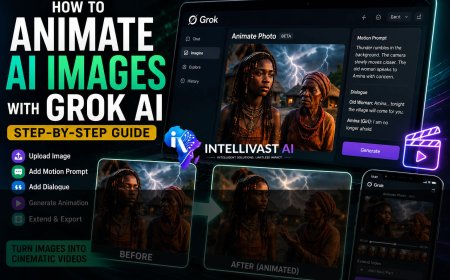
If you plan to animate your images using AI video tools, you'll also need motion prompts.
Example:
Generate cinematic motion prompts for every image. Include camera movement, facial expressions, body movement, environmental effects, and emotional actions.
Motion prompts might describe:
- Slow camera zoom
- Character walking
- Wind blowing
- Rain falling
- Birds flying
- Lightning flashing
- Eye movement
- Hand gestures
These details make AI-generated animations feel more dynamic and lifelike.
Writing Natural Character Dialogue
Dialogue brings stories to life.
Instead of asking ChatGPT for generic conversations, request emotionally rich exchanges.
Example:
Write realistic dialogue between two characters. Include emotional cues, pauses, and natural speech patterns. Keep each dialogue segment under 20 seconds for easier AI video generation.
Short dialogue segments also tend to produce better lip-sync results in many AI video tools.
Refining ChatGPT's Responses
Your first result doesn't have to be your final result.
You can ask ChatGPT to:
- Rewrite sections.
- Expand paragraphs.
- Simplify language.
- Add suspense.
- Increase emotional impact.
- Make dialogue more realistic.
- Improve pacing.
- Shorten lengthy explanations.
- Add humor or drama.
Think of AI-generated content as a first draft that you refine rather than accept without review.
Advanced Prompting Techniques
Once you're comfortable with basic prompting, experiment with more advanced instructions.
For example:
- Ask ChatGPT to write from a specific perspective.
- Request multiple versions of a title or introduction.
- Specify the reading level of your audience.
- Provide examples of the style you want.
- Ask for SEO-friendly headings and subheadings.
- Request FAQs related to your topic.
- Generate metadata such as meta descriptions and keyword suggestions.
Combining these techniques can dramatically improve the quality of your content.
Common Mistakes Beginners Make
Avoid these common pitfalls:
Using Vague Prompts
The less information you provide, the more generic the response.
Asking for Too Much at Once
Break large projects into smaller tasks. Generate the outline first, then each section individually.
Ignoring AI Mistakes
Always review the output for factual accuracy, clarity, and consistency.
Forgetting the Audience
Tailor your prompts to the people who will read or watch your content.
Not Iterating
Don't settle for the first response. Ask ChatGPT to improve it until it meets your expectations.
Frequently Asked Questions
Is ChatGPT free?
Yes. ChatGPT offers a free version with powerful capabilities. Paid plans provide access to additional models and features.
Can ChatGPT write YouTube scripts?
Absolutely. It can generate scripts for tutorials, documentaries, storytelling videos, reviews, interviews, and more.
Can ChatGPT generate image prompts?
Yes. It excels at creating detailed prompts for AI image generators, including descriptions of characters, settings, lighting, and composition.
Can ChatGPT write blog articles?
Yes. It can help create SEO-friendly articles, outlines, and complete blog posts across a wide range of topics.
Can ChatGPT help with AI video creation?
Yes. It can assist with brainstorming ideas, writing scripts, generating image prompts, creating motion prompts, and drafting dialogue for AI-generated videos.
Best Practices for Using ChatGPT
To get consistently high-quality results:
- Be as specific as possible.
- Define your audience.
- Explain your goals.
- Break large tasks into smaller prompts.
- Review and edit AI-generated content.
- Experiment with different prompt styles.
- Save your best prompts for future use.
The more you practice, the better your prompts—and your results—will become.
Final Thoughts
ChatGPT has become an indispensable tool for modern content creators. From brainstorming ideas to writing scripts, crafting compelling stories, generating image prompts, and refining dialogue, it can dramatically reduce the time and effort required to produce high-quality content.
However, the most successful creators don't rely on AI to do all the work. They use ChatGPT as a collaborative partner—providing clear instructions, reviewing the output, and adding their own creativity and expertise.
Mastering prompt writing is one of the most valuable skills you can develop in the age of AI. With practice, you'll be able to create professional-quality content faster, more efficiently, and with greater confidence.
-
Related Articles
Continue improving your AI skills with these IntelliVast AI guides:
- ChatGPT vs Gemini vs Claude for Content Creation
- How to Use ChatGPT to Create Video Scripts, Stories, and AI Image Prompts Like a Pro
- How to Generate Stunning AI Images from Text
- 101 Powerful ChatGPT Prompts for AI Video Creation
- Prompt Templates You Can Reuse
- How to Animate AI Images with Grok AI
- How to Edit AI Videos in CapCut Like a Professional
- How to Make Money with AI Videos in 2026
- How to Write Better AI Prompts for More Accurate Results
- How to Build an AI-Powered Content Creation Workflow
- Best AI Tools for Content Creators in 2026
- ChatGPT vs Gemini vs Claude for Content Creation
What's Your Reaction?
 Like
0
Like
0
 Dislike
0
Dislike
0
 Love
0
Love
0
 Funny
0
Funny
0
 Angry
0
Angry
0
 Sad
0
Sad
0
 Wow
0
Wow
0