



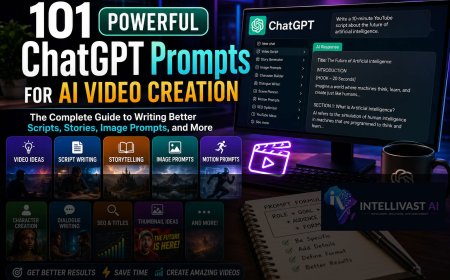




















101 Powerful ChatGPT Prompts for AI Video Creation: The Complete Guide to Writing Better Scripts, Stories, Image Prompts, and More
Learning how to write effective prompts is one of the fastest ways to improve your AI-generated content. The difference between an average prompt and a well-crafted one can be the difference between hours of editing and a script that's nearly ready to publish.

Artificial Intelligence has made video creation faster, easier, and more accessible than ever before. But while tools like ChatGPT can generate scripts, stories, dialogue, image prompts, and narration in seconds, the quality of the output depends on one critical factor:
The prompt you give it.
Many beginners assume ChatGPT magically knows exactly what they want. In reality, ChatGPT performs best when it receives clear, detailed instructions.
Whether you're creating YouTube videos, TikTok clips, documentaries, AI-generated films, educational tutorials, motivational content, or faceless storytelling channels, learning how to write effective prompts is one of the most valuable skills you can develop.
This guide contains over 100 practical prompt ideas, explains why they work, and shows you how to customize them for your own projects. By the end, you'll be able to produce higher-quality AI-generated content with less editing and greater consistency.
Table of Contents
1. What Is a ChatGPT Prompt?
2. Why Better Prompts Produce Better Videos
3. The Anatomy of a Great Prompt
4. Prompt Templates You Can Reuse
5. Prompts for Video Ideas
6. Prompts for YouTube Scripts
7. Prompts for Storytelling
8. Prompts for AI Image Generation
9. Prompts for Motion and Animation
10. Prompts for Character Creation
11. Prompts for Dialogue
12. Prompts for SEO
13. Prompts for Social Media
14. Prompts for Editing
15. Common Prompt Mistakes
16. Frequently Asked Questions
17. Final Thoughts
What Is a ChatGPT Prompt?
A prompt is simply the instruction you give ChatGPT.
Think of it as giving directions to an experienced assistant.
The clearer your instructions, the better the response.
For example:
Poor Prompt
Write a YouTube script.
Good Prompt
Act as an experienced YouTube educator. Write a 10-minute beginner-friendly YouTube script explaining how AI is transforming agriculture in Africa. Use simple English, practical examples, and conclude with actionable tips.
Notice how the second prompt specifies:
- the role,
- the audience,
- the topic,
- the length,
- the writing style,
- and the structure.
Why Better Prompts Produce Better Videos
Better prompts help ChatGPT understand exactly what you need.
A detailed prompt can improve:
- Story structure
- Character consistency
- Dialogue quality
- Image descriptions
- SEO performance
- Audience engagement
- Accuracy
- Creativity
Instead of spending time rewriting generic responses, you start with a stronger first draft.
The Formula for Great Prompts
One of the easiest frameworks to remember is:
Role + Goal + Context + Audience + Style + Format + Constraints
Example:
You are a professional documentary writer. Write a 12-minute YouTube script explaining the history of renewable energy in Africa. The audience is beginners. Use an engaging, conversational tone, divide the script into clear sections, and include a compelling introduction and conclusion.
This structure works for almost any AI writing task.
Prompt Templates You Can Reuse
Replace the highlighted details with your own topic.
Template 1: Educational Video
Act as an experienced educator. Write a [length]-minute script explaining [topic] to beginners. Use simple language, real-world examples, and finish with a summary.
Template 2: Documentary
Write a cinematic documentary script about [topic]. Include narration, scene descriptions, emotional storytelling, and factual explanations.
Template 3: Storytelling
Write a suspenseful story about [character] who faces [challenge]. Divide the story into numbered scenes suitable for AI video generation.
Template 4: Product Review
Write an honest review of [product], covering features, benefits, limitations, and practical use cases.
Prompts for Finding Video Ideas
Coming up with fresh ideas can be difficult. These prompts can help.
1. Generate 50 YouTube video ideas about artificial intelligence for beginners.
2. Suggest 30 trending AI content ideas for business owners.
3. List 25 evergreen AI topics that remain relevant throughout the year.
4. Brainstorm educational video ideas for students learning about generative AI.
5. Generate content ideas based on the latest developments in AI tools.
Prompts for Writing YouTube Scripts
6. Write a 10-minute YouTube script about [topic].
7. Include a compelling hook in the first 20 seconds.
8. Write in a conversational tone suitable for beginners.
9. Add practical examples after every major point.
10. End with a memorable conclusion and call to action.
11. Rewrite the script to improve viewer retention.
12. Add curiosity gaps that encourage viewers to keep watching.
13. Break the script into scenes suitable for AI animation.
14. Suggest visuals for every section.
15. Highlight key phrases that should appear as on-screen text.
Prompts for Storytelling Videos
16. Write an emotional African folktale suitable for AI animation.
17. Create a mystery story with unexpected plot twists.
18. Write a futuristic science-fiction story divided into 15 scenes.
19. Develop a motivational story based on perseverance.
20. Expand this story into four episodes.
21. Create unique personalities for each character.
22. Write realistic dialogue for every scene.
23. Add emotional descriptions to improve storytelling.
24. Create a dramatic ending.
25. Suggest a sequel.
Prompts for AI Image Generation
26. Generate cinematic image prompts for every scene.
27. Keep every character visually consistent.
28. Describe clothing, lighting, and camera angles.
29. Include weather conditions.
30. Describe facial expressions.
31. Add environmental details.
32. Use realistic photography style.
33. Suggest composition and framing.
34. Include color palette recommendations.
35. Create ultra-detailed prompts suitable for AI image generators.
Prompts for Motion and Animation
36. Write motion prompts for every image.
37. Describe realistic camera movement.
38. Include body movement.
39. Add facial expressions.
40. Include environmental effects.
41. Describe emotional gestures.
42. Suggest cinematic transitions.
43. Add background movement.
44. Describe slow-motion moments.
45. Create animation prompts optimized for AI video tools.
Prompts for Character Development
46. Create a detailed character profile.
47. Describe appearance.
48. Describe personality.
49. Describe clothing.
50. Create a consistent visual description.
51. Describe voice style.
52. Describe emotional behavior.
53. Describe strengths and weaknesses.
54. Create memorable supporting characters.
55. Suggest character arcs.
Prompts for Dialogue
56. Write emotionally realistic dialogue.
57. Keep each dialogue section under 20 seconds.
58. Add natural pauses.
59. Include emotional cues.
60. Differentiate each character's speaking style.
61. Rewrite dialogue to sound more natural.
62. Add suspense.
63. Reduce repetitive wording.
64. Improve emotional impact.
65. Generate alternative dialogue versions.
Prompts for SEO Articles
66. Write an SEO-friendly article about [topic].
67. Suggest keyword-rich headings.
68. Generate a meta description.
69. Suggest an SEO title.
70. Create FAQs.
71. Suggest internal linking opportunities.
72. Write a featured snippet answer.
73. Suggest related article ideas.
74. Generate keyword variations.
75. Write a compelling introduction.
Prompts for Social Media Content
76. Turn this article into a LinkedIn post.
77. Create an Instagram caption.
78. Generate a Twitter/X thread.
79. Write a Facebook post.
80. Create five TikTok hooks.
81. Write a YouTube Shorts script.
82. Generate carousel content.
83. Suggest hashtags.
84. Create engagement questions.
85. Write community posts.
Prompts for Video Editing
86. Suggest where to place scene transitions.
87. Recommend background music.
88. Suggest sound effects.
89. Identify sections needing subtitles.
90. Recommend title animations.
91. Suggest pacing improvements.
92. Recommend visual effects.
93. Suggest B-roll footage.
94. Improve viewer retention.
95. Recommend chapter markers.
Advanced Prompts
96. Rewrite the script for children.
97. Rewrite it for business professionals.
98. Convert this article into a podcast script.
99. Turn this script into an online course.
100. Translate while preserving tone.
101. Review this script and identify weaknesses before production.
How to Customize These Prompts
Treat each prompt as a starting point rather than a finished instruction.
For example, instead of asking for:
Write a story.
Try:
Write a suspenseful 12-scene story set in a remote Nigerian village where a young engineer discovers an abandoned AI research facility beneath an ancient shrine. Make the dialogue realistic, describe every scene visually, and ensure each scene is suitable for AI image generation and animation.
The additional details give ChatGPT much more context, resulting in richer and more usable content.
Common Mistakes to Avoid
Even experienced users can weaken ChatGPT's output by making these mistakes:
- Being too vague.
- Trying to accomplish too many tasks in one prompt.
- Forgetting to define the target audience.
- Omitting the desired tone or writing style.
- Failing to review and refine the generated content.
- Ignoring consistency in character descriptions or terminology.
Remember that prompting is an iterative process. If the first response isn't exactly what you want, refine your prompt and try again.
Frequently Asked Questions
Can I copy and paste these prompts directly?
Yes. They're designed to be reusable. Replace the placeholders with your own topic, audience, or project details.
Do these prompts work only for AI videos?
No. Many of them can also be used for blog articles, podcasts, presentations, online courses, and marketing content.
Should I use one long prompt or several shorter prompts?
For complex projects, it's usually better to break the work into smaller prompts. Generate the outline first, then the script, then the image prompts, followed by dialogue and motion prompts.
Can ChatGPT remember previous prompts?
Within the same conversation, it can use earlier context. However, it's still a good idea to restate important requirements—such as character descriptions or formatting—to keep the output consistent.
Final Thoughts
Learning how to write effective prompts is one of the fastest ways to improve your AI-generated content. The difference between an average prompt and a well-crafted one can be the difference between hours of editing and a script that's nearly ready to publish.
Start with the templates in this guide, experiment with different variations, and refine them based on your goals. Over time, you'll build your own library of prompts tailored to your niche, making content creation faster, more consistent, and more professional.
As AI tools continue to evolve, strong prompting skills will remain one of the most valuable assets for creators, marketers, educators, and businesses alike.
Related Articles
Continue improving your AI skills with these IntelliVast AI guides:
- ChatGPT vs Gemini vs Claude for Content Creation
- How to Use ChatGPT to Create Video Scripts, Stories, and AI Image Prompts Like a Pro
- How to Generate Stunning AI Images from Text
- 101 Powerful ChatGPT Prompts for AI Video Creation
- Prompt Templates You Can Reuse
- How to Animate AI Images with Grok AI
- How to Edit AI Videos in CapCut Like a Professional
- How to Make Money with AI Videos in 2026
- How to Write Better AI Prompts for More Accurate Results
- How to Build an AI-Powered Content Creation Workflow
- Best AI Tools for Content Creators in 2026