



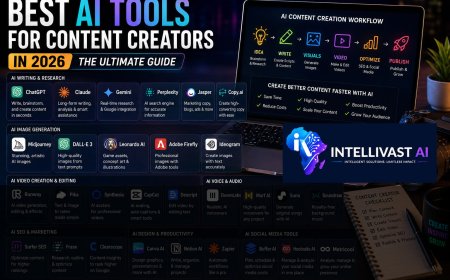


















Best AI Tools for Content Creators in 2026: The Ultimate Guide to Creating Better Content Faster
The best AI tool isn't necessarily the one with the most features; it's the one that fits naturally into your workflow and helps you create better content more efficiently.
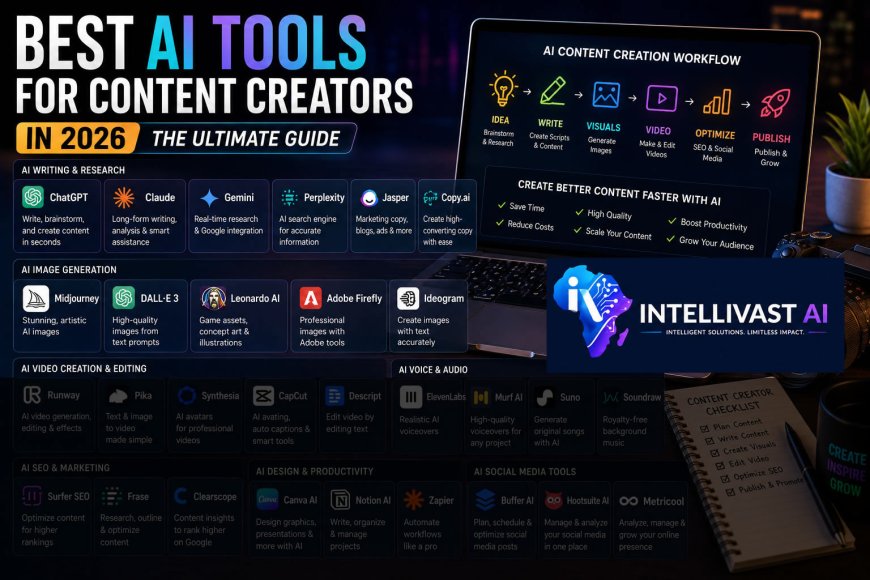
The rise of Artificial Intelligence has completely transformed the content creation industry. Today, a single creator can write articles, design graphics, generate realistic images, produce professional videos, create voiceovers, edit audio, optimize for search engines, and publish content across multiple platforms—all with the help of AI.
What once required an entire team of writers, designers, editors, marketers, and video producers can now be accomplished by one person equipped with the right AI tools.
But with hundreds of AI applications available today, one question continues to confuse beginners and even experienced creators:
Which AI tools are actually worth using?
Should you use ChatGPT or Claude? Is Midjourney better than DALL·E? Which AI video editor saves the most time? What tools should you use for research, SEO, voiceovers, and social media?
This comprehensive guide answers all of those questions.
You'll discover the best AI tools for every stage of the content creation process, understand what each tool does best, and learn how to combine them into a professional workflow that produces high-quality content efficiently.
Table of Contents
1. Why Every Content Creator Needs AI
2. What Makes a Great AI Tool?
3. The Complete AI Content Creation Workflow
4. Best AI Writing Assistants
5. Best AI Research Tools
6. Best AI Image Generators
7. Best AI Video Generators
8. Best AI Video Editors
9. Best AI Voice Generators
10. Best AI Music and Sound Tools
11. Best AI SEO Tools
12. Best AI Graphic Design Tools
13. Best AI Productivity Tools
14. Best AI Tools for Social Media
15. Choosing the Right AI Stack
16. Step-by-Step AI Workflow
17. Frequently Asked Questions
18. Final Thoughts
Why Every Content Creator Needs AI
Content creation has become more competitive than ever before. Millions of blog posts, videos, podcasts, and social media updates are published every day. To stand out, creators need to produce content consistently without sacrificing quality.
AI helps by reducing repetitive tasks so you can focus on strategy, creativity, and storytelling.
With the right tools, you can:
- Brainstorm content ideas in minutes.
- Write articles and scripts faster.
- Generate unique images.
- Produce professional videos.
- Edit content more efficiently.
- Improve search engine rankings.
- Repurpose one piece of content into multiple formats.
- Save hours every week.
The goal isn't to replace creativity—it's to enhance it.
What Makes a Great AI Tool?
Not every AI application deserves a place in your workflow. Before adopting a new tool, consider:
- Ease of use
- Quality of results
- Speed
- Customization options
- Collaboration features
- Integration with other platforms
- Pricing
- Commercial usage rights
- Customer support
- Frequency of updates
A tool that saves you time while consistently producing high-quality results is often a better investment than one packed with features you'll never use.
The Complete AI Content Creation Workflow
Professional creators rarely rely on a single AI application. Instead, they use different tools for different stages of production.
A typical workflow might look like this:
1. Research and brainstorm ideas.
2. Write an outline.
3. Generate a detailed script or article.
4. Create AI images.
5. Animate images or generate videos.
6. Edit the video.
7. Add AI voiceovers and music.
8. Design thumbnails and graphics.
9. Optimize for SEO.
10. Publish and promote the content.
The sections below explore the best tools for each step.
Best AI Writing Assistants
Writing is the foundation of most content. Whether you're creating blog posts, video scripts, emails, or marketing copy, these AI assistants can help.
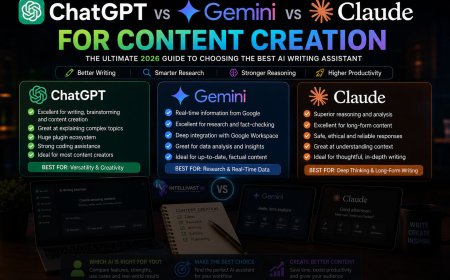
1. ChatGPT
Best for: Blog writing, YouTube scripts, prompt engineering, coding assistance, brainstorming, educational content, marketing copy, and creative writing.
Why It Stands Out
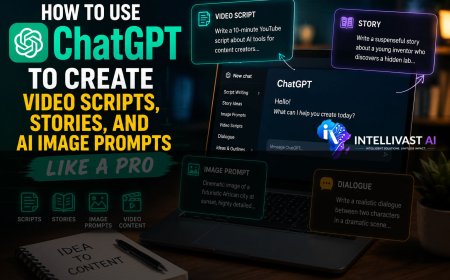
ChatGPT is one of the most versatile AI assistants available. It excels at following detailed instructions, adapting to different writing styles, and generating structured content. It also supports conversational refinement, allowing you to improve drafts through follow-up prompts.
Ideal For
- Bloggers
- YouTubers
- Copywriters
- Students
- Educators
- Developers
- Business owners
2. Claude
Best for: Long-form articles, reports, editing, documentation, and thoughtful analysis.
Claude is known for producing natural, coherent writing that maintains quality across lengthy documents. It's particularly useful for creators working on ebooks, research summaries, white papers, and in-depth educational content.
3. Gemini
Best for: Research, productivity, educational content, and Google Workspace integration.
Gemini is especially useful when your workflow involves Google Docs, Gmail, Google Drive, or other Google services. It performs well for organizing information and assisting with research-heavy projects.
4. Jasper
Jasper focuses on marketing and business content. It offers templates for advertisements, landing pages, email campaigns, and product descriptions, making it a valuable option for marketing teams.
5. Copy.ai
Designed primarily for marketers, Copy.ai helps generate persuasive copy for websites, social media, and advertising campaigns.
Best AI Research Tools
Before creating content, you need reliable information.
Perplexity AI
Perplexity AI combines conversational search with source citations, making it useful for researching topics, discovering references, and exploring current developments.
Best For
- Academic research
- Technology updates
- Fact verification
- Market research
Gemini
Gemini is also valuable for gathering information, summarizing documents, and organizing research before writing.
Best AI Image Generators
Visual content increases engagement and helps communicate ideas more effectively.
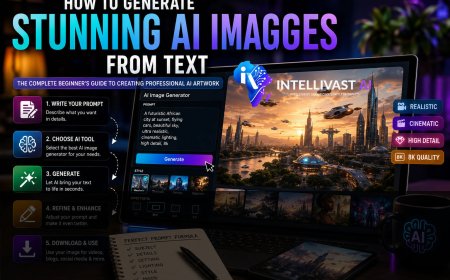
ChatGPT Image Generation
ChatGPT can generate high-quality images from detailed text prompts and is particularly effective when paired with strong prompt engineering.
Best For
- Blog featured images
- Story illustrations
- Concept art
- Marketing visuals
- Educational graphics
Midjourney
Midjourney is renowned for producing artistic, cinematic, and visually stunning images.
Best For
- Concept art
- Fantasy scenes
- Creative illustrations
- Book covers
- Movie-style artwork
Adobe Firefly
Firefly integrates seamlessly with Adobe Creative Cloud, making it an excellent choice for designers already using Photoshop, Illustrator, or Express.
Leonardo AI
Leonardo AI is popular among creators producing game assets, character concepts, marketing visuals, and high-quality illustrations.
Ideogram
Ideogram excels at generating images that include clear, readable text, making it useful for posters, logos, and promotional graphics.
Best AI Video Generators
Runway
Runway enables creators to generate and edit AI-powered videos with advanced features such as background removal, object replacement, and motion generation.
Pika
Pika specializes in turning text or images into short animated videos suitable for social media and storytelling.
Synthesia
Synthesia allows you to create videos featuring realistic AI avatars delivering presentations in multiple languages.
This makes it useful for:
- Training videos
- Corporate communication
- Product demonstrations
- Educational lessons
Best AI Video Editors
CapCut
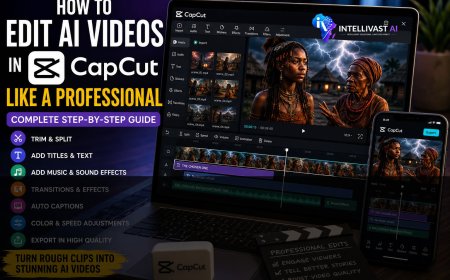
CapCut combines traditional editing tools with AI-powered features such as automatic captions, background removal, smart transitions, and enhancement tools.
It's especially popular among creators producing short-form content for TikTok, Instagram Reels, and YouTube Shorts.
Descript
Descript lets you edit videos by editing text, making podcast and video production much faster.
It also includes:
- AI voice cloning
- Automatic transcription
- Noise removal
- Screen recording
Best AI Voice Generators
ElevenLabs
ElevenLabs produces realistic AI-generated voices suitable for narration, audiobooks, videos, and podcasts.
Its natural-sounding voices have made it one of the most popular voice generation platforms.
Murf AI
Murf AI provides professional voiceovers for training materials, advertisements, presentations, and educational videos.
Best AI Music and Sound Tools
Suno
Suno generates original songs and background music from text prompts.
Soundraw
Soundraw creates royalty-free background music that can be customized to fit the mood and duration of your videos.
Best AI SEO Tools
Surfer SEO
Surfer SEO helps optimize articles for search engines by analyzing keywords, content structure, headings, and readability.
Frase
Frase assists with content research, outlining, optimization, and answering search intent effectively.
Clearscope
Clearscope helps writers improve topical coverage and keyword relevance while maintaining natural readability.
Best AI Graphic Design Tools
Canva AI
Canva AI combines graphic design templates with AI-powered image generation, writing assistance, and presentation tools.
It's especially useful for creators without professional design experience.
Adobe Express
Adobe Express provides AI-assisted design features for creating social media graphics, posters, presentations, and marketing materials.
Best AI Productivity Tools
Notion AI
Notion AI helps organize notes, brainstorm ideas, summarize documents, and manage projects from a single workspace.
Zapier AI
Zapier automates repetitive workflows by connecting different applications.
Examples include:
- Publishing blog posts automatically.
- Sending notifications.
- Organizing leads.
- Updating spreadsheets.
- Managing customer inquiries.
Best AI Tools for Social Media
Managing multiple platforms can be time-consuming.
Tools like Buffer AI, Hootsuite AI, and Metricool help schedule posts, analyze performance, and suggest improvements to your publishing strategy.
These tools make it easier to maintain a consistent online presence without manually posting on every platform.
How to Build Your Perfect AI Toolkit
Choosing the right tools depends on your goals. Here are three example setups.
Beginner Toolkit
- ChatGPT
- Canva AI
- CapCut
- ChatGPT Image Generation
This combination covers writing, visuals, image creation, and editing without overwhelming new users.
Professional Creator Toolkit
- ChatGPT
- Claude
- Perplexity AI
- Midjourney
- Runway
- ElevenLabs
- CapCut
- Surfer SEO
- Canva AI
This setup supports a complete end-to-end content creation workflow.
Agency Toolkit
- ChatGPT
- Claude
- Gemini
- Perplexity AI
- Midjourney
- Leonardo AI
- Runway
- Synthesia
- ElevenLabs
- Surfer SEO
- Notion AI
- Zapier
This toolkit is designed for teams managing multiple clients and producing content at scale.
Step-by-Step AI Content Creation Workflow
Step 1: Research
Use AI to gather ideas, identify audience questions, and understand current trends.
Step 2: Planning
Create a detailed outline before writing.
Step 3: Writing
Generate your first draft, then refine it to match your brand voice.
Step 4: Visual Creation
Produce original images and graphics that support your content.
Step 5: Video Production
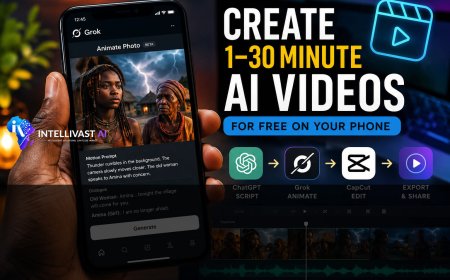
Animate visuals, record voiceovers, and edit the final video.
Step 6: SEO Optimization
Improve titles, headings, metadata, and internal linking before publishing.
Step 7: Distribution
Repurpose your content into social media posts, newsletters, podcasts, and short videos to maximize reach.
Frequently Asked Questions
Do I need to use all these AI tools?
No. Start with a few that address your immediate needs and expand your toolkit as your workflow grows.
Are paid AI tools worth it?
For many creators, paid plans provide better performance, additional features, and higher usage limits. However, many free versions are sufficient for learning and smaller projects.
Can AI replace human creativity?
AI can accelerate content creation and generate ideas, but your judgment, expertise, and originality remain essential for producing meaningful content.
How do I choose the best tool?
Evaluate tools based on your goals, budget, ease of use, and how well they integrate with your existing workflow. Test several options before committing to one.
Final Thoughts
The best AI tool isn't necessarily the one with the most features; it's the one that fits naturally into your workflow and helps you create better content more efficiently.
Rather than chasing every new application that appears, focus on mastering a small set of reliable tools. As your skills and content needs evolve, you can expand your toolkit strategically.
By combining strong writing assistants, image generators, video editors, SEO tools, and productivity platforms, you'll be well-equipped to produce professional-quality content consistently and stay competitive in the rapidly evolving digital landscape.
Related Articles
Continue improving your AI skills with these IntelliVast AI guides:
- ChatGPT vs Gemini vs Claude for Content Creation
- How to Use ChatGPT to Create Video Scripts, Stories, and AI Image Prompts Like a Pro
- How to Generate Stunning AI Images from Text
- 101 Powerful ChatGPT Prompts for AI Video Creation
- Prompt Templates You Can Reuse
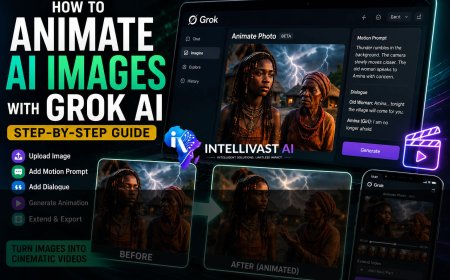
- How to Animate AI Images with Grok AI
- How to Edit AI Videos in CapCut Like a Professional
- How to Make Money with AI Videos in 2026
- How to Write Better AI Prompts for More Accurate Results
- How to Build an AI-Powered Content Creation Workflow
- Best AI Tools for Content Creators in 2026